
The best recipe app is not necessarily the one with the longest feature list. It is the one that fits the way you actually collect recipes and the way you actually cook.
Some people want a personal digital cookbook. Some want a meal-planning calendar. Others want to save a recipe from Instagram, share it with their household and turn it into one grocery list before dinner. Those are different jobs, and recipe apps make different trade-offs.
This guide compares Eetlijst, ReciMe, CookBook, Paprika, Plan to Eat, Mealime and Fond Kitchen. The comparison focuses on the practical workflow: getting recipes in, keeping them organized, sharing them when useful, planning meals and shopping without unnecessary complexity.
Quick comparison
| App or website | Import from anywhere | Photos and handwritten notes | Personal recipe collection | Shared recipe book | Shared grocery list | Meal planning | Paid price |
|---|---|---|---|---|---|---|---|
| Eetlijst | ✓✓ | ✓✓ | ✓✓ | ✓✓ | ✓✓ | ✓ | Free |
| ReciMe | ✓ | ✓✓ | ✓✓ | ✓ | ✓ | ✓ | Approximately $5/month |
| CookBook | ✓ | ✓✓ | ✓✓ | ✓ | ✓ | ✓ | $6.99/month or $39.99/year |
| Paprika | ✓ | ✕ | ✓✓ | ✕ | ✓ | ✓ | $4.99 one-time per platform |
| Plan to Eat | ✓ | ✕ | ✓ | ✓ | ✓✓ | ✓✓ | $5.95/month or $49/year |
| Mealime | ✕ | ✕ | ✕ | ✕ | ✓ | ✓✓ | Free or approximately $6/month Pro |
| Fond Kitchen | ✓✓ | ✓✓ | ✓✓ | ✓ | ✓ | ✓✓ | $6/month annual or $8/month |
Legend: ✓✓ means a standout feature, ✓ means the feature is available, and ✕ means the feature is not a core offering. Prices are shown in USD and can vary by country, platform and billing period. Checked August 2026.
The table is a starting point, not a universal ranking. The right choice depends on whether importing, sharing, planning or simplicity matters most to you.
1. Eetlijst
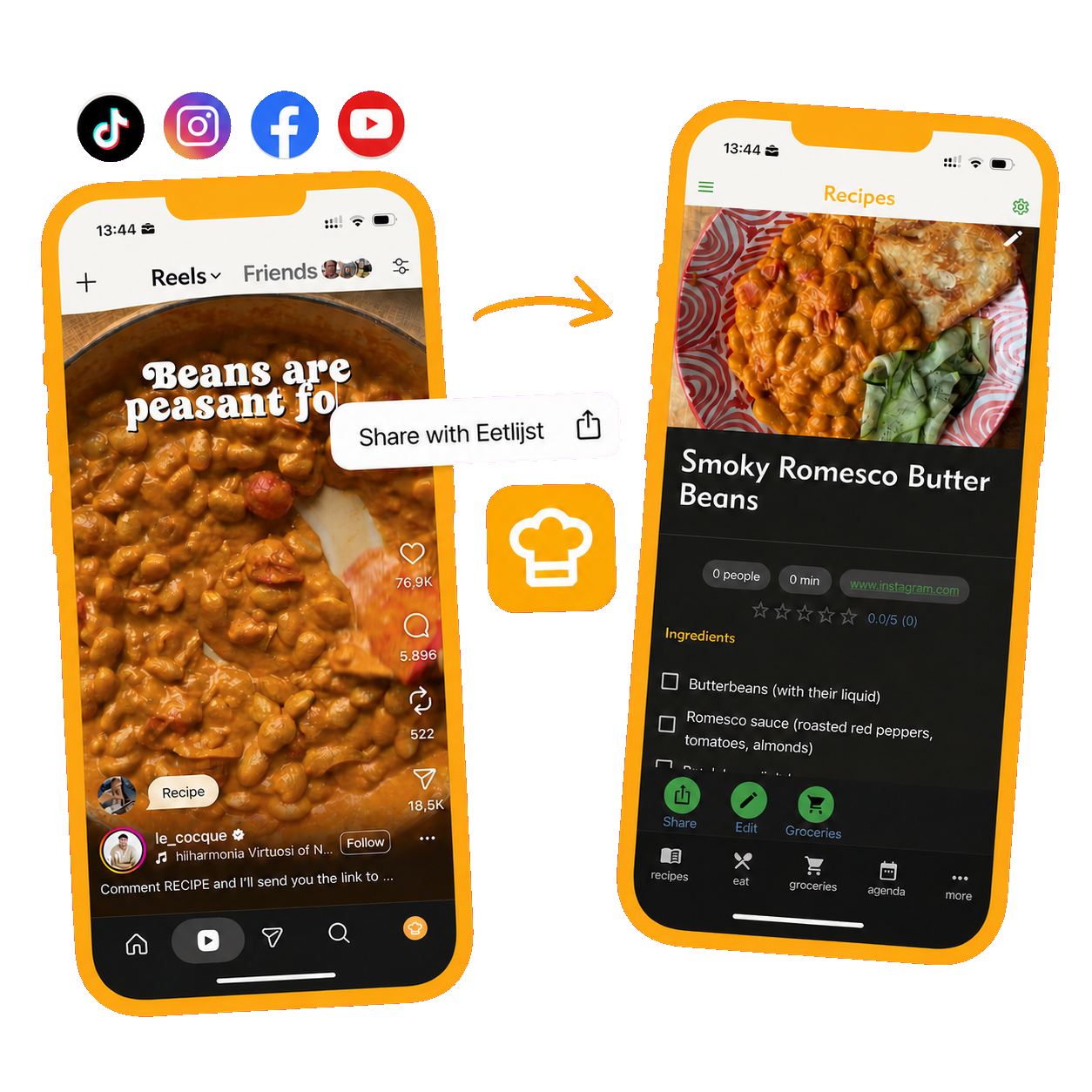
Eetlijst lets you import recipes from anywhere. That includes websites, Instagram, TikTok, Facebook, YouTube, photos, screenshots, handwritten notes, copied text and the other places where recipes turn up. Instead of leaving the recipe in a bookmark folder, camera roll or social-media save folder, you can keep it in a searchable recipe book and review the imported ingredients and instructions.
The important difference is that Eetlijst does not make you choose between a personal recipe manager and a shared household app. You can use it alone: save recipes, organize your collection, make a grocery list and plan what to cook. When you cook with other people, the same recipe book, meal overview and grocery list can be shared with the household.
The shared workflow stays deliberately small. You can save a recipe, decide what to cook, see who is joining and put the ingredients on one grocery list. You do not need to turn every cooking decision into a complicated planning system, and you can use only the features that help your household.
Import: Anywhere you find a recipe, including websites, social media, photos, screenshots, handwritten notes and copied text.
Sharing: Personal collections or a shared recipe book for a household.
Planning and shopping: Lightweight meal planning plus a shared grocery list built around the recipes you want to cook.
2. ReciMe
ReciMe is built around collecting recipes from the platforms where food creators publish. Its website lists support for Instagram, TikTok, Facebook, Pinterest and YouTube, as well as screenshots and photos of handwritten recipes. It also offers meal planning, cookbooks and smart grocery lists.
Its main strength is import breadth. If your recipe collection is scattered across saved posts, videos and screenshots, ReciMe is designed to bring those sources into one personal collection. The free version has limits on recipe imports, so frequent importers should check the current plan details before moving a large archive.
Compared with Eetlijst, ReciMe is more centered on the individual recipe collector. It is a good fit when the main problem is personal recipe chaos. Eetlijst is the better fit when the recipe needs to become a shared household decision, grocery list or dinner plan.
Import: Social media, screenshots and handwritten recipes.
Sharing: Strong personal recipe organization with sharing and meal-planning features.
Planning and shopping: Meal plans and smart grocery lists.
3. CookBook
CookBook supports imports from social media, websites, photos, cookbooks and personal notes. Its AI Recipe Scanner is designed to turn photos of cookbook pages, clippings and handwritten family recipes into editable recipes. It also includes an AI Chef for creating variations and ingredient swaps.
Beyond importing, CookBook covers the expected recipe-manager features: organization, search, nutrition information, meal planning, scaling, cooking tools and shopping lists. It is available across iOS, Android and the web, which makes it a practical option for someone who wants the same personal library on several devices.
CookBook is a strong choice for a personal archive that includes old physical recipes as well as online recipes. Eetlijst has the clearer advantage when the recipe collection needs to be shared as part of an ongoing household dinner routine rather than simply stored and organized.
Import: Social media, websites, photos, cookbooks and handwritten notes.
Sharing: Cloud-synced access and sharing features, with a personal-library orientation.
Planning and shopping: Meal planning and smart shopping lists.
4. Paprika
Paprika has been a popular recipe manager for years. It clips recipes from websites, stores them in categories, creates grocery lists and supports meal planning. The app is available on several platforms, but purchases and synchronization details should be checked for the devices you use.
Paprika is an important comparison because it does the fundamentals well. It is not an AI-first recipe importer: its main workflow is traditional web clipping rather than importing photos, handwritten cards or messy social-media posts with AI assistance. That can be an advantage if most of your recipes come from websites and you prefer a straightforward, established tool.
The trade-off is flexibility. If recipes come from videos, screenshots or family cards, you may need more manual work. Household sharing is also a different experience from a recipe book designed around shared dinners and a shared grocery list.
Import: Primarily website recipe clipping.
Sharing: Sync across supported devices; household collaboration is not its main differentiator.
Planning and shopping: Recipe-based grocery lists and meal planning.
5. Plan to Eat
Plan to Eat puts the meal calendar at the center of the experience. You save recipes, place them on a calendar and generate a shopping list from the meals you plan to make. This is useful for households that plan several days or weeks ahead and want the shopping workflow to follow the calendar.
The compromise is that recipe importing is not the product's main story. Its recipe clipper is useful for web recipes, but it does not focus on AI-assisted importing from social posts, photos or handwritten cards. The app is strongest after your recipes are already in the system and you are ready to plan them.
Eetlijst takes a lighter approach to planning. You can plan shared dinners and connect them to a grocery list, but you are not required to maintain a detailed calendar to get value from the app. That makes Eetlijst a better fit for flexible households, while Plan to Eat suits people who want planning to be the central habit.
Import: Website recipe clipping.
Sharing: Household-oriented planning and sharing.
Planning and shopping: Strong calendar planning with grocery-list generation.
6. Mealime
Mealime takes a different approach from a recipe-import app. You choose preferences such as dietary needs and cooking style, and the service recommends recipes and builds a meal plan with a grocery list.
That can be excellent when the hardest question is “What should I cook this week?” It is less useful when you already have recipes saved in Instagram, screenshots, family notes or other apps and want to organize those recipes yourself. Personal importing is not the center of the experience.
Eetlijst is more flexible if you want to start with your own recipes and decide how much planning to add. Mealime is more opinionated: it gives you a curated path from recipe discovery to shopping.
Import: Primarily Mealime's own recipe library rather than personal recipe importing.
Sharing: Shared meal planning and grocery workflows.
Planning and shopping: Guided plans with automatically generated grocery lists.
7. Fond Kitchen
Fond Kitchen is a website, not a native recipe app. Its guide is useful as a comparison point because it focuses on importing recipes from URLs, pasted text, photos and handwritten cards, then turning them into structured recipes for planning and cooking.
The website describes a broader cooking workspace with meal planning, shopping lists, cook mode and specialized tools. That makes it appealing if you prefer working in a browser and want more than a simple recipe box.
Eetlijst and Fond Kitchen overlap on broad importing and the connection between recipes, planning and shopping. The main difference is the cooking context: Eetlijst is designed to work as a personal collection or a shared household app, while Fond Kitchen is a web-first workspace with its own cooking tools and workflow.
Import: URLs, pasted text, photos and handwritten recipes.
Sharing: Web-based workspace features; check the current product details for the collaboration workflow you need.
Planning and shopping: Meal planning, shopping lists and cooking tools.
Which features matter most?
Feature lists can make every app look similar. The useful question is where your recipes come from and what needs to happen after you save one.
If you import recipes from anywhere
Look for support beyond standard recipe websites. Social posts, screenshots, photos and handwritten cards are less consistent than a page with structured recipe data. AI-assisted import and OCR can save time, but you should still review quantities and steps before cooking.
Eetlijst is the broadest match for an import-from-anywhere workflow. ReciMe, CookBook and Fond Kitchen are also strong when you use the sources they explicitly support. Paprika and Plan to Eat are better suited to recipes that can be clipped reliably from websites.
If you share cooking with your household
The important question is not just whether an app has a share button. Ask whether everyone can see the same recipe collection, whether a planned meal is visible to the group and whether the grocery list belongs to the household rather than one person's account.
Eetlijst is built around this shared workflow while still working as a personal app. Plan to Eat and Mealime are also useful for shared planning, but they put more emphasis on the calendar or curated meal plan. Personal-first apps can be perfectly good for storing recipes without being the best shared kitchen.
If you want a grocery list without a large planning system
You do not need a month-long meal calendar to benefit from a recipe-based grocery list. Sometimes you just want to choose a recipe, see the ingredients, remove what you already have and share the remaining items.
This is where Eetlijst's smaller planning tool is useful. It connects recipes, meals and groceries without requiring the whole household to plan every meal in detail. Plan to Eat is a better choice if detailed calendar planning is the goal.
If you want the most configurable experience
An app should help your routine rather than replace it. You may want to use recipe importing without meal planning, meal planning without household sharing, or a personal grocery list without inviting anyone else.
Eetlijst works in each of those modes. Use it alone as a recipe organizer, use it with a household for shared meals, or combine only the features that make your cooking easier. That is a different proposition from an app that assumes you want a full guided meal plan or a dedicated calendar routine.
The bottom line
The best recipe app depends on the job you want it to do:
- Choose Eetlijst if you want recipes imported from many places and the freedom to use the app alone or as a shared household kitchen.
- Choose ReciMe if most of your recipes live in social-media posts, screenshots and videos.
- Choose CookBook if you are digitizing a large collection of websites, cookbooks, photos and handwritten family recipes.
- Choose Paprika if you mainly clip website recipes and prefer a traditional one-time-purchase recipe manager.
- Choose Plan to Eat if a detailed meal calendar is more important than broad importing.
- Choose Mealime if you want a guided recipe library and meal plans chosen around your preferences.
- Choose Fond Kitchen if you want a web-first cooking workspace with importing, planning and cooking tools.
Eetlijst is the most adaptable option for people who do not want to choose between a personal recipe app and a shared one. Save recipes for yourself, invite your household when you want to cook together, build one grocery list and plan only as much as your routine needs.
Frequently asked questions
What is the best recipe app for a shared household?
Eetlijst is a strong choice if you want a shared recipe book, shared grocery list and lightweight planning without giving up personal use. Plan to Eat and Mealime are also useful for shared planning, but their workflows are more centered on a calendar or curated meal plans.
Which recipe apps import recipes from anywhere?
Eetlijst is designed to import recipes from anywhere, including websites, social media, photos, screenshots, handwritten notes and copied text. ReciMe and CookBook also support several social-media and image-based sources. The exact import behavior can change, so review the result after importing and check each provider's current feature list.
Does Paprika use AI to import recipes?
Paprika is primarily a traditional website recipe clipper and recipe manager. It is a useful paid alternative, but it should not be treated as an AI-first importer for photos, handwritten cards or messy social-media recipes.
Is Eetlijst only useful for families or shared homes?
No. You can use Eetlijst alone to import and organize recipes, make grocery lists and plan meals. Sharing is available when you want it, rather than a requirement for using the app.
Which app is best for meal planning?
Plan to Eat is a strong choice if you want a calendar-centered planning workflow. Mealime is useful if you want guided plans from a curated recipe library. Eetlijst is a better fit if you want lighter planning connected to your own recipes and grocery list.
Is Fond Kitchen an app?
Fond Kitchen is a website and web-first cooking workspace. It should not be confused with a native iOS or Android recipe app.
Should I choose an app with the most features?
Not necessarily. Choose the features that match your routine. If you only need recipe storage, a full meal-planning system may feel like work. If your household cooks together, sharing and a shared grocery list may matter more than advanced personal tagging.
Can I use one recipe app alone and later share it?
That depends on the product. Eetlijst supports both personal and shared use, so you can start alone and involve your household later without changing your recipe workflow.