
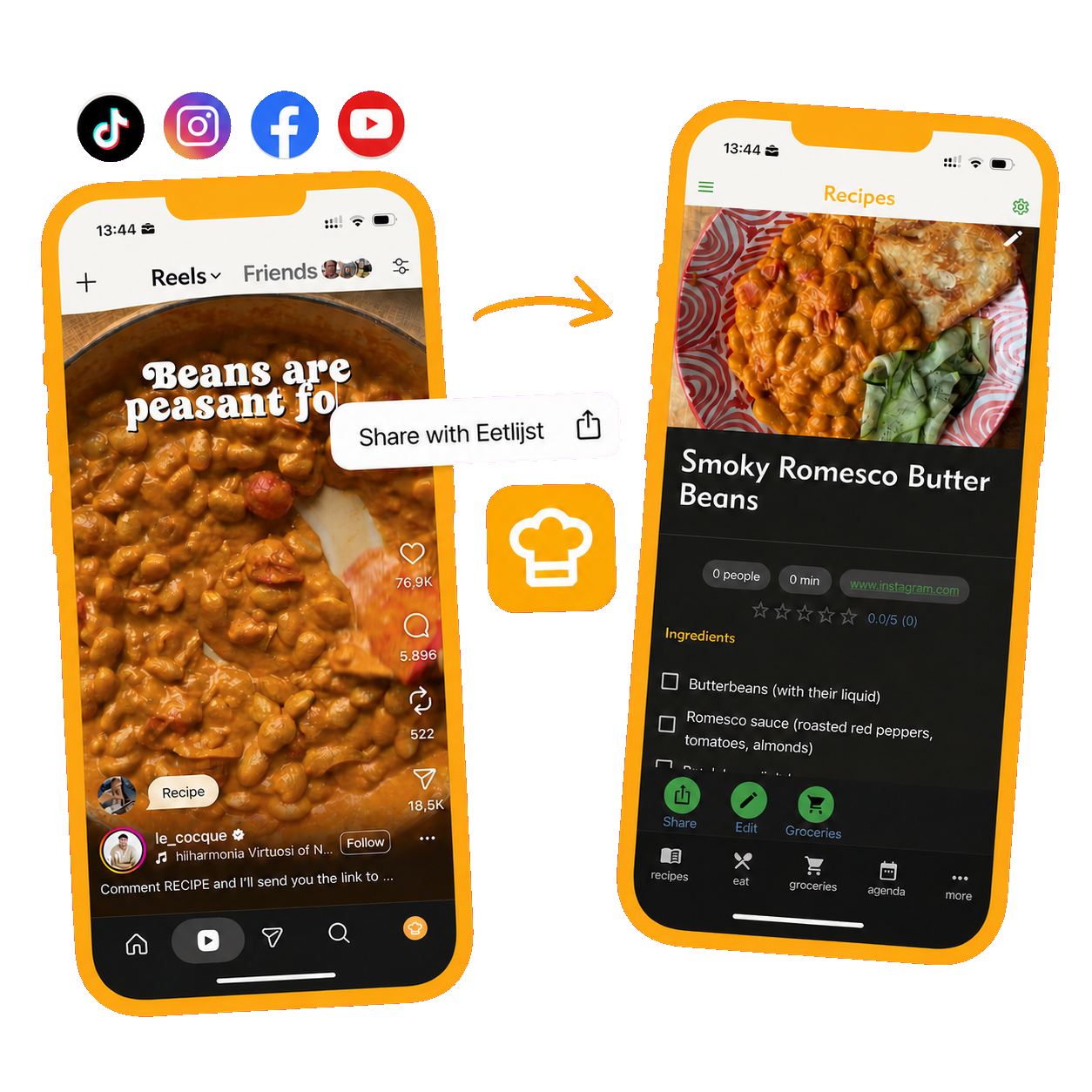
Finding a good recipe on Instagram is easy. Finding it again when you are ready to cook can be much harder. With Eetlijst, you can share a recipe from Instagram directly to your group’s recipe book. It then sits alongside your other favourites, and you can use its ingredients when preparing the shared grocery list.
Why Instagram is not an ideal recipe book
Instagram is designed to help you discover new posts, not to make recipes easy to retrieve while cooking. A saved post also remains part of your personal account. Housemates or family members do not automatically see it, and they cannot tell which recipe you want to make for the group.
The practical information is not always in one place either. Ingredients may be written in the caption while the method is only explained in the video. Once you save several recipes, you can end up with a long collection of posts that have no consistent structure.
A shared recipe book addresses three problems:
- everyone in the group can find the same recipes;
- recipes stay together instead of being mixed with unrelated saved posts;
- ingredients can help the group prepare a shared grocery list.
How to import an Instagram recipe into Eetlijst
You import a recipe through Instagram’s normal share menu. The exact location of a button may change between Instagram versions, but the basic process remains the same.
1. Open the recipe on Instagram
Go to the Reel or post containing the recipe you want to keep. Check that the post is still available and that the creator has included ingredients or preparation instructions.
2. Open the share menu
Tap the share icon next to the post. Instagram will show the apps and contacts with which you can share it.
3. Choose Eetlijst
Select Eetlijst from the share menu. If it does not appear immediately, open the list of additional apps. This screen can look slightly different on iPhone and Android.
4. Review the imported recipe
Eetlijst processes the information in the shared post and turns it into a recipe. Review the title, ingredients and preparation steps before saving it. Social media posts do not follow a standard recipe format, so it is worth confirming that the important information was imported correctly.
5. Save the recipe for your group
Choose the recipe book in which you want to save the recipe. The other members of that group can then use it when planning a meal together.
Turn inspiration into a shared meal
A saved recipe becomes much more useful when your group can act on it. Decide when you want to make the dish and check who will be joining. You can then add the ingredients you need to the shared grocery list.
Before adding everything, check what the group already has at home. This prevents duplicate purchases and keeps the list clear for whoever goes shopping. If the original post does not give precise quantities, adjust them for the number of people joining the meal.
Keep the shared recipe book useful
A recipe book becomes less helpful when every interesting post is saved without review. A simple shared routine keeps the collection useful:
- Save recipes that somebody genuinely wants to cook.
- Give each recipe a clear title.
- Review the ingredients and steps after importing.
- Remove duplicates and incomplete recipes.
- Record useful personal changes after trying a recipe.
The recipe book will then grow into a collection the whole group can rely on, rather than becoming another list of forgotten favourites.
Frequently asked questions
Can everyone in my group see the recipe?
A recipe saved to a shared Eetlijst recipe book is intended for the members of that group. Make sure you select the right recipe book when saving it.
Do I need to copy the recipe manually?
Eetlijst attempts to import the information from the Instagram post you share. Always review the result, because creators present recipes in many different ways across captions and videos.
Can I save recipes from other apps?
Eetlijst also supports sharing recipes from platforms including TikTok, Facebook and YouTube. Use the share menu in the relevant app in the same way.
What if Eetlijst is missing from the share menu?
Open the full list of apps in the share menu and confirm that Eetlijst is installed on your phone. Depending on your device, you may also be able to pin frequently used sharing options or add them to your favourites.